Online Help Index
My IP Hide
If you only need to access blocked sites, please try My IP Hide. Here is the comparison between My IP Hide and Elite Proxy Switcher.
Didsoft Affiliate
Earn money when a visitor comes from your website buys our product or service. You can get 30% commission on sales. Start to earn now!Quick Guide for Elite Proxy Switcher
1. Import the proxies
If you bought the proxy list service, please just click the menu File->Download List.
You can also get some proxies from Free Proxy List or My-Proxy List. Open the proxy list page, select the proxies and click ctrl+c to copy them into memory. Open Elite Proxy Switcher, click ctrl+v to paste the proxies into it.
2. Check the proxies
Click the Elite Proxy Switcher menu Test->All to test all the proxies.
3. Use the proxies
Double click the proxy you want to use as the active proxy for your IE and Firefox.
You are now surfing through the proxy. You can check your IP to see whether the proxy works.
Elite Proxy Switcher User Interface
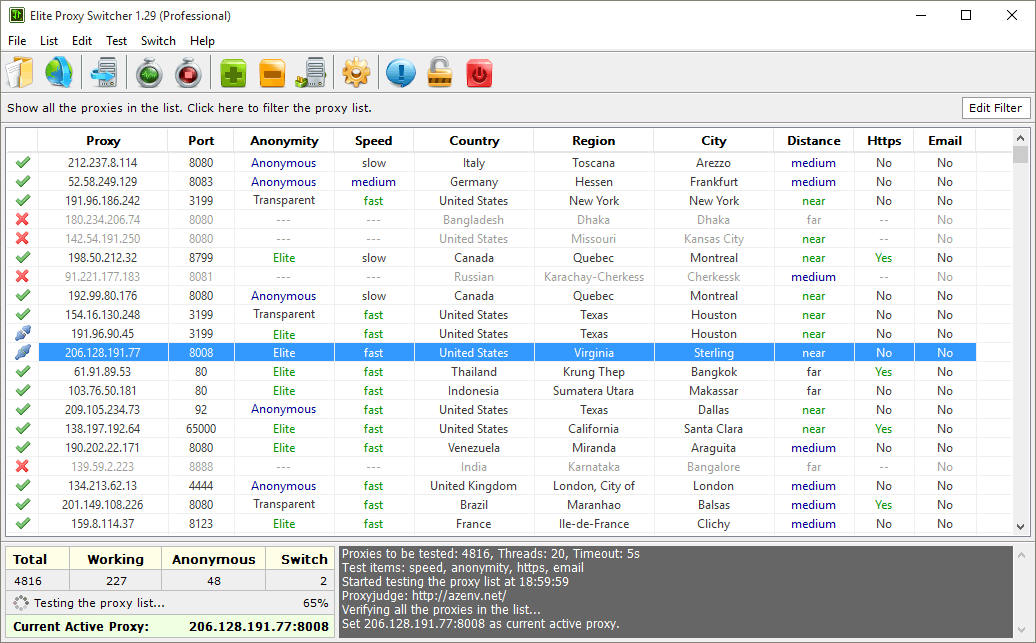
The main windows contain the proxy list and the details (speed, anonymity, gateway, ssl, danger, country and codeen feature) of them. If you double click a proxy to set it as active proxy for your browser (IE or Firefox), it will be shown in the lower-left table.
Filter Dialog
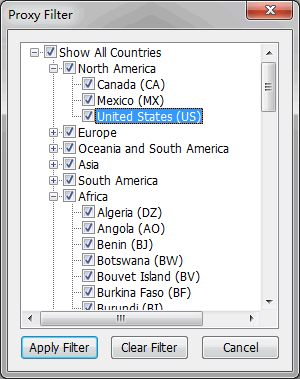
In this dialog you can choose the countries you are interested. Elite Proxy Switcher will only show the socks proxies in those countries that you are checked.
Setting Dialog
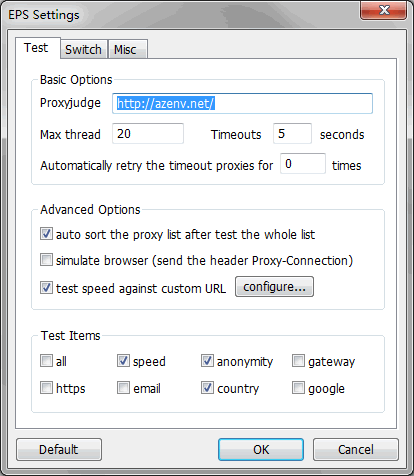
Elite Proxy Switcher tests the proxies faster if the Max Thread is bigger but it will make your surfing slow if the number is too big. We recommend using the default value (5 for XP, 20 for Win7).
The proxyjudge (what's proxyjudge) is used to classify the proxies. Elite Proxy Switcher will update the proxyjudge automatically if the current one dies so you need not to change it.
In the test items box, you can choose whether to test the speed, anonymity, gateway, ssl, danger, country and codeen feature of the proxies.
Export Dialog
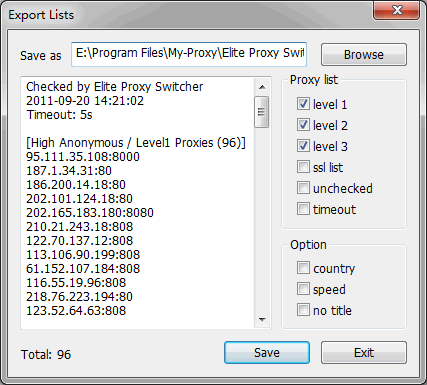
In the dialog you can easily select what type of proxies you want to export. It's also very convenient if you want to post your proxies in forums.
System Tray
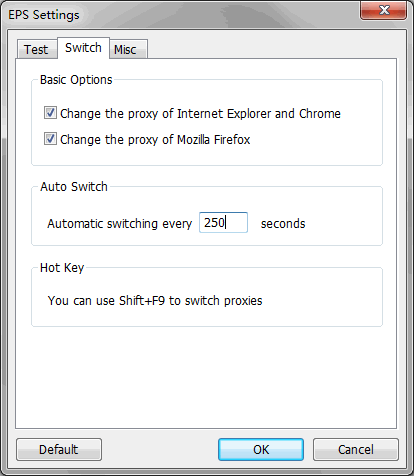
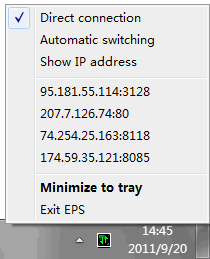
Right click some proxy in the Elite Proxy Switcher main window and check Enable for auto swithing, then you can see the proxy in the tray menu. You can use the tray menu to switch proxy quickly.
About Dialog
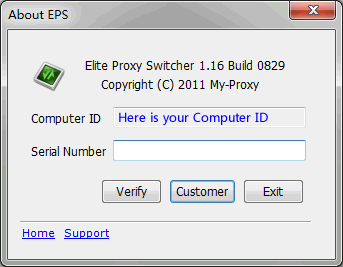
In order to generate the serial number for professional edition, you may be asked to submit your EPS Computer ID in this dialog that is bound with your hardware, which can be invoked by clicking EPS menu Help->About.